

Most people don’t buy a new work laptop because they want one — they buy it because something specific has become a daily frustration. The battery dies before 3pm. The current machine chokes with more than eight tabs open. The laptop bag feels like it’s full of bricks by the end of a travel day. Most laptop buying guides skip past this and go straight to spec comparisons, without asking the more useful question first:
- Problem 1: “My laptop battery doesn’t make it through a full workday”
- Problem 2: “I have a dozen tabs, a spreadsheet, and a video call open, and everything slows down”
- Problem 3: “My laptop bag feels like it weighs more than my luggage”
- Problem 4: “I’m spending too much on a laptop for what I actually use it for”
- Problem 5: “I need business-grade reliability but Windows compatibility is non-negotiable”
- Matching Problems to Laptops: Quick Reference
- A Word on Solving More Than One Problem at Once
- FAQ’s
- Conclusion
what’s actually broken about how you work right now?
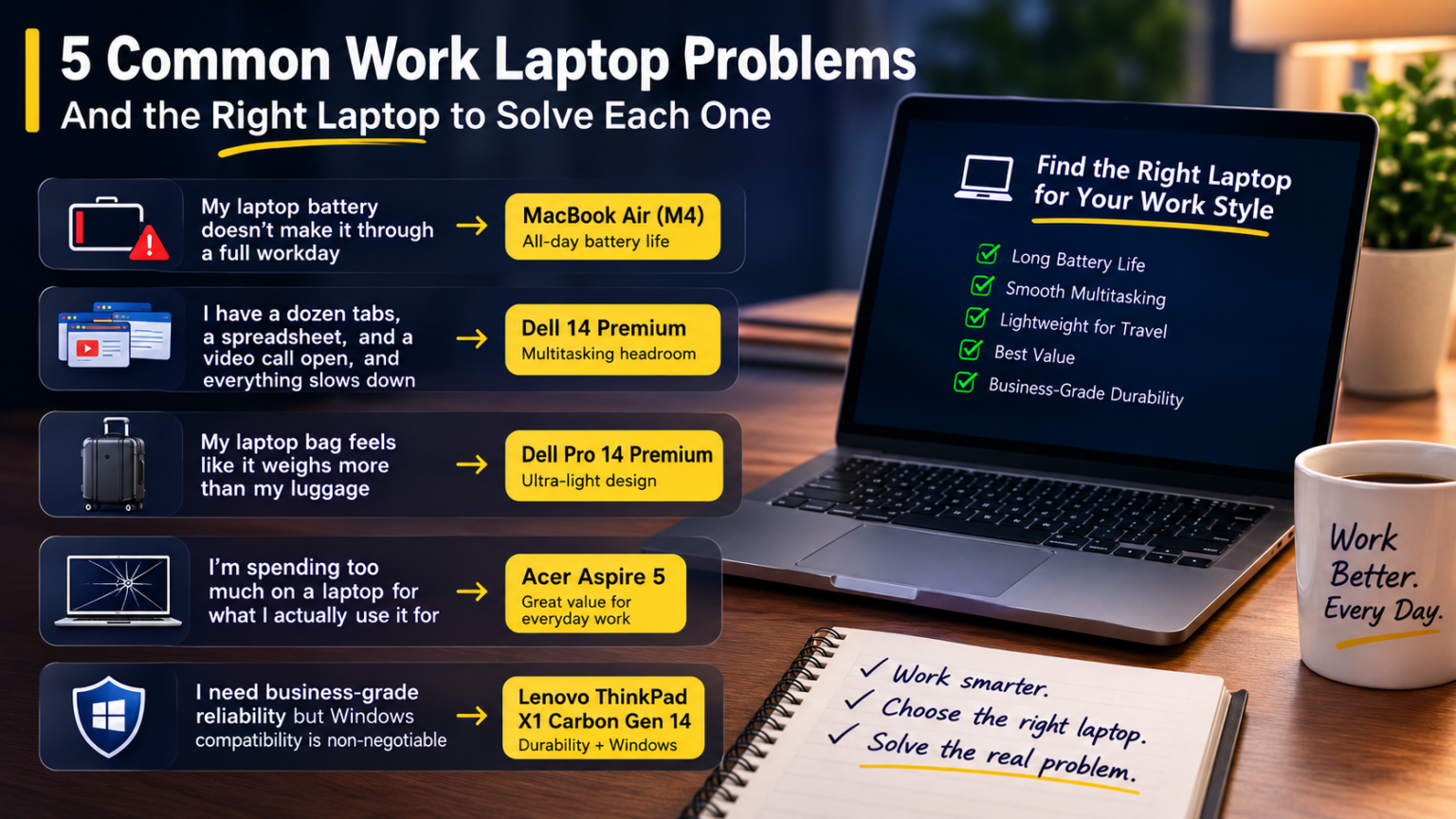
Here are five common work laptop problems in 2026, and the specific laptops built to solve each one.
Problem 1: “My laptop battery doesn’t make it through a full workday”
If you’re hunting for outlets by mid-afternoon, or carrying a charger everywhere out of habit rather than necessity, the fix is a laptop specifically engineered for all-day battery efficiency — not just a bigger battery bolted onto the same power-hungry components.
The right laptop: MacBook Air (M4). Its fanless design and efficient Apple Silicon architecture combine for battery life that comfortably covers a full workday without a mid-afternoon charge. At clearance pricing around $999–$1,099 following the M5 launch, it’s currently one of the better values for this specific problem.
Where it falls short: If your work requires Windows-specific business software, battery life alone doesn’t solve the compatibility problem — you’d need to weigh that trade-off before switching platforms just to fix battery anxiety.
Problem 2: “I have a dozen tabs, a spreadsheet, and a video call open, and everything slows down”
This is a multitasking headroom problem, not a general performance problem — plenty of laptops handle single tasks well but bog down the moment several demanding applications run simultaneously.
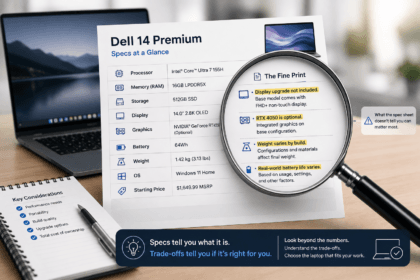
The right laptop: Dell 14 Premium. Its combination of strong processor options and optional discrete Nvidia RTX 4050 graphics gives it real multitasking headroom, including notably faster 4K-to-1080p video transcoding than several competitors in its class — a reasonable proxy for how it handles genuinely demanding simultaneous workloads.
Where it falls short: That headroom comes with real weight and bulk — the Dell 14 Premium is explicitly built performance-first, portability-second, so it’s the wrong fix if your actual problem is also about carrying the laptop around all day.
Problem 3: “My laptop bag feels like it weighs more than my luggage”
If daily carrying is wearing you down — sore shoulders, a laptop that makes your bag feel disproportionately heavy for what’s inside it — the fix is a laptop specifically engineered around weight, not just a smaller screen size.
The right laptop: Dell Pro 14 Premium. At roughly 1.15 kg (2.54 lbs), it’s notably lighter than the 1.42 kg average for laptops in its size class, with a design specifically built around all-day carrying rather than desktop performance. The Lenovo ThinkPad X1 Carbon Gen 14 is a close alternative at roughly 996 grams, with the added benefit of a 9/10 iFixit repairability score for travelers who need quick service on the road.
Where it falls short: Both prioritize weight over raw power — the Dell Pro 14 Premium in particular ships with integrated graphics only. If your travel days also involve genuinely demanding work, this fix solves the bag-weight problem but may reintroduce Problem 2.
Problem 4: “I’m spending too much on a laptop for what I actually use it for”
If your day-to-day work is genuinely just email, browsing, documents, and video calls, and you’ve been eyeing a $1,500+ laptop out of a vague sense that “better” laptops make work better, the real problem is a mismatch between your workload and your shopping list.
The right laptop: Acer Aspire 5. For under $700, it delivers an Intel Core i5 processor, 16GB RAM, and a 512GB SSD — genuinely sufficient specs for standard productivity work, with snappy performance and a comfortable keyboard that holds up for daily use.
Where it falls short: The display isn’t color-accurate enough for professional design work, and build durability doesn’t match business-line laptops. If your workload actually does involve visual precision or rough daily handling, this fix undersolves the problem rather than fixing it.
Problem 5: “I need business-grade reliability but Windows compatibility is non-negotiable”
Some work environments require Windows specifically — certain enterprise software, IT department standardization, or industry-specific tools — while still demanding a laptop built to withstand years of daily professional use.
The right laptop: Lenovo ThinkPad X1 Carbon Gen 14. Beyond its light weight, it’s built around a redesigned “Space Frame” internal architecture that scored 9/10 on iFixit for repairability — a meaningful signal of long-term durability and serviceability that budget and even mid-range laptops typically can’t match.
Where it falls short: The base $1,999 configuration doesn’t include the OLED display and higher RAM that most reviews are actually describing — budget for the upgraded configuration (well above $2,500) if the premium display and specs are part of why you’re considering this laptop.
Matching Problems to Laptops: Quick Reference
| Your Problem | Best-Fit Laptop | Not the Right Fit |
|---|---|---|
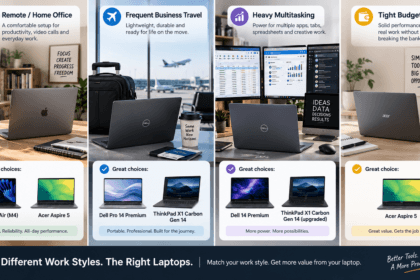
| Battery doesn’t last the workday | MacBook Air (M4) | Windows-required roles |
| Multitasking slows everything down | Dell 14 Premium | Frequent travelers |
| Laptop bag feels too heavy | Dell Pro 14 Premium or ThinkPad X1 Carbon Gen 14 | Graphics-intensive work |
| Overspending for basic needs | Acer Aspire 5 | Design/visual-precision work |
| Need Windows + business-grade durability | ThinkPad X1 Carbon Gen 14 | Budget-constrained buyers |
A Word on Solving More Than One Problem at Once
It’s tempting to look for the one laptop that solves all five problems simultaneously. In practice, the laptops above are strong specifically because they were engineered around one priority — battery efficiency, multitasking power, weight, cost, or business durability — rather than trying to be excellent at everything. A laptop that claims to solve all five at once is more likely mediocre at each than exceptional at any. Identify your actual biggest problem, solve that one specifically, and treat the rest as secondary considerations you can live with.
FAQ’s
What if I have more than one of these problems at the same time?
Prioritize by which problem costs you the most time or frustration daily. A battery problem affects every single workday; a travel-weight problem might only matter a few times a month. Solve the daily friction first.
Can a single laptop solve the multitasking problem and the travel-weight problem?
Rarely well — these two priorities pull in genuinely opposite directions (more power typically means more weight and heat management). If both matter, decide which one is truly non-negotiable and treat the other as a manageable trade-off.
Is the Acer Aspire 5 actually a downgrade if I’ve been using a premium laptop?
Not necessarily — if your actual workload is basic productivity, a premium laptop may have been solving a problem you didn’t have. The relevant question isn’t what you’re used to, but what your daily tasks genuinely require.
How do I know if Windows compatibility is really non-negotiable for my work, or just a habit?
Check whether specific software your job requires has no viable macOS alternative or reliable virtualization option. If nothing critical is Windows-locked, it’s worth evaluating macOS options even if you’ve defaulted to Windows out of habit.
Conclusion
The fastest way to end up unhappy with a new work laptop is buying based on general reputation instead of the specific problem you’re trying to fix. Match the laptop to what’s actually broken — battery life, multitasking headroom, travel weight, overspending, or the need for Windows-compatible business durability — and you’ll get more daily value from a laptop chosen for your actual problem than from whichever model tops a generic “best laptops” list.
Pricing, specifications, and availability for laptops change frequently and may have been updated since this article was published. Always verify current pricing and specs directly on the manufacturer’s or retailer’s official website before purchasing. This article is for informational purposes and does not constitute professional purchasing advice.