

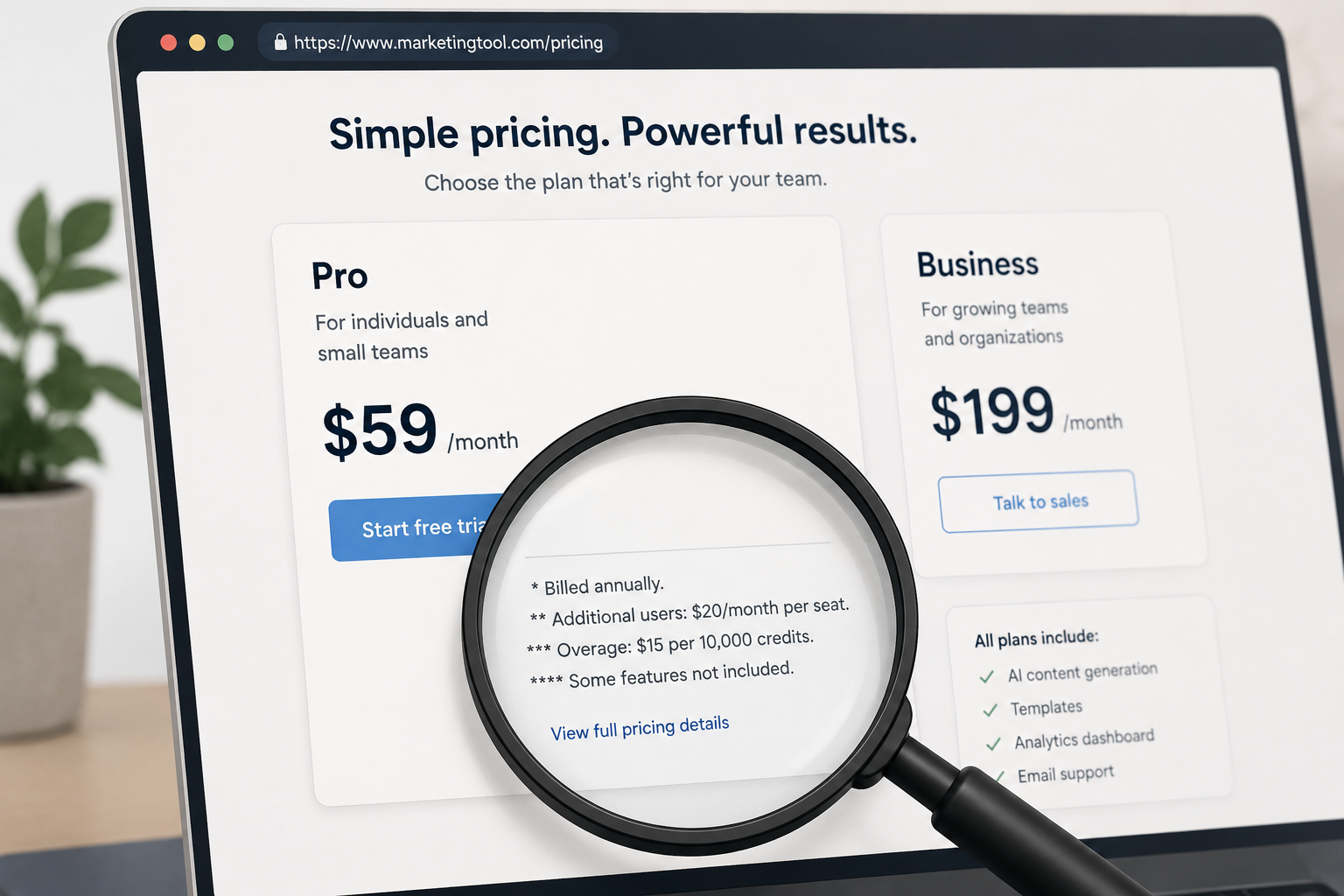
Most “best AI marketing tools” roundups read like they were written from the vendor’s homepage. Headline price, feature bullet list, five-star recommendation, done. What they skip is the part that actually determines whether a tool is worth it: the gap between the advertised price and what you actually pay once you add a second seat, hit a usage cap, or need a feature that turns out to be gated behind a higher tier.
- Jasper: The Catch Is What Happens After Seat One
- Surfer SEO: The Catch Is the Renaming
- Semrush: The Catch Is the Add-On Stack
- HubSpot Breeze AI: The Catch Is the Entry Fee Before the Usage Fee
- Sprout Social: The Catch Is What’s Locked Behind the Top Tier
- Klaviyo: The Catch Is That Growth Itself Is the Price Increase
- Side-by-Side: Advertised Price vs. Real-World Catch
- FAQ’s
- Conclusion
This guide takes the opposite approach. For each tool, we start with the catch — the thing that trips people up after they’ve already signed up — and then explain whether the tool is still worth it despite that catch. If you’d rather see a straight side-by-side comparison first, skip to the table near the end.
Jasper: The Catch Is What Happens After Seat One
Jasper’s Pro plan looks reasonable at $59–$69/month, and for a single user, it genuinely is — you get the full Canvas editor, Brand Voice training, and marketing templates. The problem shows up the moment you try to add a teammate.
Jasper doesn’t sell a simple two- or three-seat plan. The next tier up is Business, and Business is entirely custom-quoted — meaning your “second seat” could cost anywhere from a modest markup to a full enterprise negotiation, depending on what Jasper’s sales team decides your account is worth. For a lean two-person team, this is the single most common source of Jasper sticker shock reported by reviewers: budgeting for “Pro plus one more seat” and discovering that’s not actually a product Jasper sells.
Is it still worth it? Yes, if you’re a true solo operator, or if you’re already big enough that a custom Business contract makes sense. It’s the messy middle — freelancers juggling a few collaborators, or two-person teams — who should look elsewhere first.
Surfer SEO: The Catch Is the Renaming
Surfer SEO has restructured its plan names and pricing at least three times in the past few years. Reviews from six months ago mention tiers called “Essential” and “Scale.” Older reviews mention “Hobby,” “Basic,” and “Business.” As of mid-2026, the current lineup uses different names entirely, with pricing anywhere from roughly $49/month at the bottom tier to $999/month at Enterprise, depending on which snapshot of the pricing page you’re reading.
This isn’t just an annoyance — it means a huge share of the “Surfer SEO pricing” content ranking on Google right now is describing plans that no longer exist. If you’re comparing based on an article, there’s a real chance the numbers are stale by the time you read them.
Is it still worth it? Yes, for the core Content Editor functionality, which has stayed consistent even as pricing labels shifted. Just don’t trust any third-party pricing table (including tables in this article) as gospel — confirm the current tier names and limits directly on Surfer’s site before you commit.
Semrush: The Catch Is the Add-On Stack
Semrush’s base plans look complete, but the platform has quietly built out more than a dozen optional add-ons — Local SEO, Social Media, Content Toolkit, Advertising Toolkit, AI Visibility, Traffic & Market Trends — each billed separately on top of your core subscription. It’s common for agency owners to sign up for a mid-tier plan assuming it covers everything, then discover a few months in that they also need the Trends add-on and two extra team seats, turning a $249/month plan into a $600+/month bill with no dramatic feature upgrade — just quiet extras stacking up.
Semrush’s 2026 restructure into “Semrush One” (bundling SEO Classic with AI Visibility) actually helps here: buying the bundle is now cheaper than buying the equivalent features separately. But if you only need traditional SEO tools and don’t care about AI visibility tracking, sticking with a Classic-only plan avoids paying for a feature you won’t use.
Is it still worth it? Yes, for teams that will actually use the breadth — agencies managing several clients get the most value per dollar. Solo marketers should map out exactly which toolkits they need before subscribing, since it’s easy to end up paying for capability that sits idle.
HubSpot Breeze AI: The Catch Is the Entry Fee Before the Usage Fee
HubSpot markets Breeze AI as starting at “$0,” which is technically true — but that’s the free CRM tier, which doesn’t include Breeze’s AI agents. To actually use Customer Agent, Prospecting Agent, or Data Agent, you need at minimum a Professional-tier Hub subscription (roughly $800/month and up), and then you pay again on top of that in usage-based credits — for example, about $0.50 per resolved conversation for the Customer Agent.
This two-layer pricing (subscription plus usage) is easy to underestimate. A small business handling around 500 customer conversations a month can expect a first-month bill in the $1,700–$4,700 range once the subscription, credit packs, and one-time onboarding fee are all counted — a very different number from the “$0” headline.
Is it still worth it? Yes, if you’re already paying for HubSpot Professional or Enterprise for other reasons — Breeze becomes close to free marginal value at that point. It’s a poor reason on its own to upgrade from a Free or Starter HubSpot plan.
Sprout Social: The Catch Is What’s Locked Behind the Top Tier
Sprout Social’s entry Standard plan (roughly $199/seat/month) covers publishing, scheduling, and a shared inbox — solid basics. But the features that make Sprout genuinely stand out as an AI tool — sentiment analysis, AI reply enhancement, automation workflows — don’t unlock until the Advanced tier, around $399/seat/month. A three-person team on Standard pays roughly $600/month and still doesn’t have the AI features that likely motivated the purchase in the first place.
Sprout also requires annual prepayment across its standard tiers — there’s no simple month-to-month option at the listed rates, so switching plans mid-year isn’t a lightweight decision.
Is it still worth it? Yes, for teams that specifically need sentiment analysis or reply automation and will budget for Advanced from the start. If you only need basic scheduling and a shared inbox, Standard is fine — just don’t expect it to feel like an “AI tool” in daily use.
Klaviyo: The Catch Is That Growth Itself Is the Price Increase
Klaviyo’s pricing model is refreshingly simple in one way — every tier includes the same AI features, so you’re never paying more just to unlock functionality. But the flip side is that your bill grows automatically as your contact list grows, regardless of how engaged those contacts actually are. A store with a large but stale email list can end up paying premium rates for contacts that never open a campaign.
Entry pricing starts around $20/month, but growth-stage brands routinely report bills climbing into the $1,000–$2,000+/month range as their list expands — and above $10,000/month in spend, Klaviyo requires moving to its “Klaviyo One” enterprise pricing, which adds a 20% surcharge on top of total spend.
Is it still worth it? Yes, if your list is actively engaged and driving revenue — the ROI math tends to hold up. It’s worth periodically cleaning inactive subscribers specifically because Klaviyo charges by list size, not engagement.
Side-by-Side: Advertised Price vs. Real-World Catch
| Tool | Advertised Starting Price | The Catch |
|---|---|---|
| Jasper | ~$59/mo | No mid-tier for 2–3 seats; jump straight to custom Business pricing |
| Surfer SEO | ~$49/mo | Plan names/pricing have changed 3+ times; verify current tier before buying |
| Semrush | ~$117–$140/mo | Extensive add-on stack can double the effective bill |
| HubSpot Breeze AI | “$0” headline | AI agents require Professional-tier subscription plus per-use credits |
| Sprout Social | ~$199/seat/mo | Sentiment analysis and automation locked until $399/seat Advanced tier |
| Klaviyo | ~$20/mo | Price scales with list size regardless of subscriber engagement |
FAQ’s
Why do so many AI marketing tools advertise a low starting price?
Entry-tier pricing is typically designed to win the comparison-shopping phase, not to reflect what most real customers end up paying. It’s not necessarily deceptive, but it does mean the advertised number is a floor, not a realistic estimate.
How do I avoid getting surprised by add-on costs?
Before subscribing, list every feature you actually plan to use and check the vendor’s pricing page line by line to confirm which tier includes it — don’t assume a feature mentioned in marketing copy is included in the plan you’re about to buy.
Is it worth paying for the top tier just to avoid future upgrades?
Usually not. Several tools in this list (HubSpot, Semrush) charge significantly more for capabilities that sit unused for months while a team is still learning the core product. It’s cheaper to upgrade once you’ve actually hit a limit than to pre-pay for headroom you might not need.
Which of these tools has the most predictable pricing?
Klaviyo and Jasper Pro are the most predictable for solo users, since pricing is tied to a single clear variable (list size or seat count) rather than a stack of optional add-ons. Semrush and Sprout Social require more careful tier-by-tier planning.
Conclusion
None of the catches above are dealbreakers — they’re just the parts of the pricing page that don’t make it into the headline. Jasper, Surfer SEO, Semrush, HubSpot, Sprout Social, and Klaviyo are all legitimate, well-reviewed tools. The difference between a good purchase and a frustrating one usually comes down to whether you mapped out the real cost before signing up, not after the first invoice arrives.
Pricing, plan structures, and feature gating for software products change frequently and may have been updated since publication. Always confirm current pricing directly on each provider’s official website before purchasing. This article is for informational purposes only and does not constitute professional business or financial advice.